 Sunstone Apps
Moving a React Native Sudoku board to Skia without deleting the old renderer
6 min readWritten by: Jonathan Reis on
A slow Sudoku board does not automatically need a rewrite. The safer move was to add a second renderer and keep the game contract unchanged.
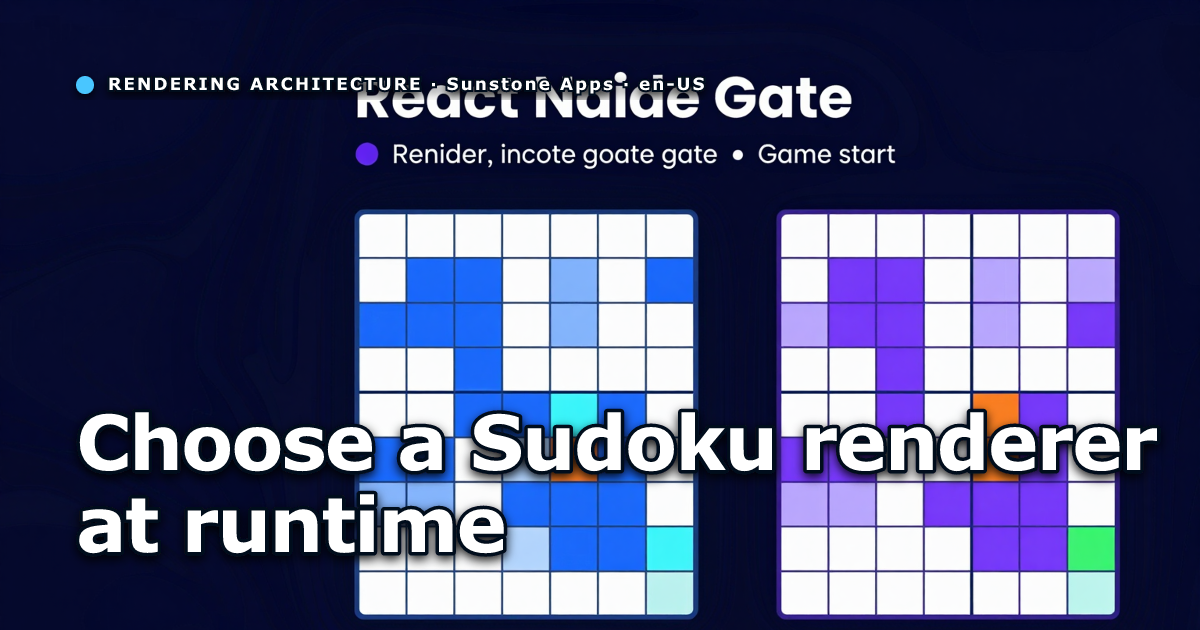
A Sudoku board is more expensive than it looks. Eighty-one cells are not much for a game engine, but in React Native each cell can become several views, text nodes, animated overlays, borders, press targets, and note labels.
The constraint in our Sudoku app was not “replace everything with Skia”. The goal was narrower: find out whether the board gets faster on slower devices while keeping the current renderer available.
Keep the game contract stable
The existing screen already had a useful boundary. GameScreen owns the game state, selected cell, notes, score events, and
input rules. The board receives plain props: current values, original givens, notes, solution, selection, animation presets,
and an onPressCell callback.
That boundary made the experiment safer. The Skia version can receive the same data as the React Native version. No game rule, persistence path, scoring rule, or modal flow needs to know which renderer is active.
Put Skia behind config, not a user setting
Renderer selection is runtime infrastructure, not a player preference. We added a typed config flag:
rendering:
  boardRenderer: skia
Local development can opt into Skia, while test and production stay on the existing renderer until visual smoke tests and the performance comparison earn the switch.
Preserve accessibility and tests
A pure canvas is easy to draw and hard to test. The compromise was to let Skia draw the board while React Native keeps one transparent press target per cell.
Those hitboxes preserve:
- Touch input.
accessibilityLabelper cell.- Web E2E selectors.
- Text mirrors for assertions that check cell values.
That layer has a cost, but it avoids breaking the product while the renderer is still experimental.
Measure before calling the renderer a win
The first Skia version proved the migration path, but not the performance case. On a slow Redmi Note 7, selecting a cell was slower in the initial Skia renderer than in the React Native renderer because the implementation still had many per-cell React pieces and selection rebuilt too much of the board.
The better experiment was a second renderer: one Skia canvas for the board and one transparent board-level press target for hit testing. From there, selection state moved out of the parent screen and the Skia drawing was split into stable layers: static cells, values, notes, borders, and grid lines stayed still while selection and note highlights updated separately.
That changed the result from “Skia is slower” to “this Skia architecture is slower.” In our internal latency probe, the
single-surface spike brought cell selection on the Note 7 down to about 149ms median after layer separation. Still not
instant, but finally good enough to keep investigating.
Port animation behavior, not business logic
The existing animation queue already emits presets for board reveal, mistakes, completed units, awards, and auto-complete. The Skia renderer maps those presets to canvas transforms and overlays instead of creating a second animation system.
That keeps the rule simple: game events stay in the game layer; renderers only decide how to visualize them.
The lesson
Skia is not a magic fix for every slow React Native screen. It helps most when there is a clear visual surface that can be drawn as a canvas without moving application logic into the renderer.
For this Sudoku board, the practical pattern is:
- Keep the current React Native renderer.
- Add a Skia renderer with the same props.
- Select it by config.
- Preserve input and accessibility at the React Native boundary.
- Compare performance before shipping it to production.
That is less dramatic than a rewrite, but it gives the team a rollback path and real data.
Keep the old renderer useful
The old renderer should not be treated as dead code while the Skia version is still being proven. It is the baseline. It tells you whether a new slowdown belongs to Skia, shared game state, animations, or device conditions. Removing it too early makes every performance number harder to interpret.
A good renderer migration keeps both implementations behind the same boundary. The screen passes board state, selection, notes, mistakes, highlights, and callbacks through one host component. That host chooses the renderer from config. The rest of the game should not care which drawing strategy is active.
That boundary also makes rollback less dramatic. If a beta device shows a visual bug, a remote or environment config can move the app back to the React Native renderer while the Skia path is fixed.
What Skia should and should not own
Skia is excellent for drawing a dense board, but it does not have to own every interaction. For Sudoku, the safer split is to let Skia draw the visual surface while React Native keeps accessible hit targets and testable input behavior. That preserves screen reader semantics, E2E selectors, and familiar event handling.
This is not the purest graphics architecture, but it is a practical app architecture. A mobile game still needs accessibility, analytics, haptics, ads, persistence, and navigation around the board. The renderer is one part of the product, not the product itself.
Acceptance criteria for the migration
Before calling a renderer accepted, compare it against the baseline on real devices:
- tap-to-selection latency on a low-end phone;
- visual correctness after notes, mistakes, highlights, and win states;
- accessibility hit targets and labels;
- E2E stability for board interaction (we later wrote about keeping Playwright E2E useful with Skia);
- rollback path through config.
A renderer that is faster only in a simulator is not necessarily better. A renderer that is slightly slower but stable, configurable, and isolated may still be a good beta decision.
Measure after the UI settles
Renderer benchmarks are easy to pollute. If a tap starts a selection update, animation, score change, persistence write, and analytics call at the same time, the number may describe the whole screen rather than the renderer. That can still be useful, but it should be labeled honestly.
For renderer-specific work, isolate the scenario as much as practical. Use the same puzzle, same selected cells, same animation mode, same device, and same build. If another system must remain active, keep it active in both before and after measurements.
The goal is not laboratory purity. The goal is to avoid congratulating a renderer for an improvement that came from disabling something else.
The migration should improve optionality
A renderer migration is not successful only when the new renderer wins every benchmark. It is successful when the app gains a safer way to choose. If the Skia renderer is better on a weak phone but worse on a specific tablet, config should let the team respond without rewriting game logic.
That optionality matters during beta. Real testers use devices the team does not own, with refresh rates, GPU behavior, font scaling, and accessibility settings that are hard to predict. Keeping renderer choice behind config turns those reports into product decisions instead of emergencies.
Do not hide accessibility behind performance
The tempting shortcut is to move all input into the canvas. That can make the drawing layer feel cleaner, but it risks losing platform accessibility and test hooks. A Sudoku board is not just pixels; each cell is a target with meaning.
Keeping React Native hitboxes above or beside the drawing layer is less glamorous, but it preserves the contract with assistive technology and E2E tests. Performance work that silently removes accessibility is not an optimization. It is a regression with better frame times.
Rollout should be reversible
A renderer flag is only useful if the app can actually ship both paths. Keep shared data contracts stable, avoid renderer-specific game rules, and make the config value easy to inspect in diagnostics. If a beta report says the board is broken, the team should know which renderer produced it.
That also changes how bugs are triaged. A visual defect in one renderer is not automatically a game-state bug. A performance regression in both renderers probably belongs higher in the tree. The flag gives the team a faster first split.
Conclusion
A Skia migration is safest when it increases options instead of deleting the old path. Keep the contract stable, preserve accessibility, measure on real devices, and make rollback a configuration decision rather than a rewrite.